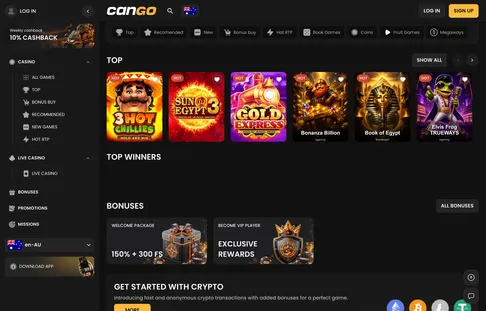

Welcome to our registration stop on the guided tour, where we walk through the Cango sign up process before you commit a cent. Setting up a profile at Cango takes under two minutes through a single window on mobile or desktop. You choose your permanent account currency right at the start, enter a valid email, set an eight-character password, and tick the age confirmation box. This guide explains the exact fields on the registration form, how the Google shortcut behaves, where the WP1 code goes, and the strict profile rules that protect your future cashout.
Cango sign up: sign-up in numbers at a glance
Before filling out the registration form, it helps to see the exact numbers and commitments attached to a new profile. When you complete the Cango register steps, you lock in several settings that cannot be altered later, most notably your currency choice of AUD, EUR, or CAD. You also encounter terms like KYC, which stands for Know Your Customer, the standard identity verification check where you upload photos of your ID before a first cashout, and wagering, which is the number of times you must bet a bonus amount before withdrawing it. The table below outlines the timeframes, deposit thresholds, and key requirements you will meet during your first forty-eight hours on the site.
| Registration Detail | Concrete Requirement or Figure |
|---|---|
| Time to complete form | About 1 to 2 minutes on desktop or mobile |
| Required form fields | Email, password (8+ characters), country, currency, 18+ tick |
| Available currencies | AUD, EUR, CAD (chosen once, cannot be changed later) |
| Minimum deposit | A$15 general cashier minimum; A$45 to trigger the welcome pack |
| First deposit promo code | WP1 for 150% up to A$1,500 + 300 free spins (x30 wagering) |
| KYC verification window | Up to 48 hours via the Sumsub upload tool |
| VIP entry requirement | Verified mobile number on account plus a qualifying deposit |
Keep in mind that while the initial form only asks for basic login credentials, your personal details in the profile tab must eventually match your bank statements and photo ID. Setting your currency to AUD right away avoids foreign exchange fees when depositing from an Australian card. Once the form is submitted, missions and the full promotional calendar open up inside your dashboard.
Cango register: where to type WP1
During the initial sign-up or right inside the deposit screen, you will spot an optional toggle labelled I have a promo code. Tapping this line opens a text box where you enter WP1 in capital letters without spaces. This specific code activates the first welcome package of 150% up to A$1,500 plus 300 free spins on pokies when you fund your balance with at least A$45. The spins drop in three daily batches of 100 across Bonanza Billion, Thunder Coins XXL, and 3 Super Hot Chillies, and each batch stays valid for 24 hours.
Illustration: if you type WP1 and deposit A$60, the 150% match adds A$90 in bonus funds, giving you A$150 in total play balance alongside your first 100 spins, with the A$90 bonus subject to x30 wagering (A$2,700 in pokie bets) within 7 days.
Mistakes happen when players rush through the form on a small mobile screen. If you forget to enter WP1 during registration, do not panic, because you can still apply it in the cashier right before confirming your first A$45 payment. However, if you complete the deposit without the code and start spinning pokies, the automated system will not attach the 150% match retroactively. In the event that you deposit A$45, forget the code, and have not placed a single bet yet, stop immediately and open the 24/7 live chat. An agent generally replies within about two minutes and can often attach the welcome offer manually as long as your deposited balance remains untouched.
Cango registration: two ways to register
Players arriving at Cango can choose between two entry paths when opening the sign-up modal. Both routes lead to the exact same lobby and cashier, and both allow you to claim the Cango bonus on your opening deposit, provided you meet the A$45 threshold. The difference lies in how your login credentials are created and how you manage your password on a second device later on.
- Standard email registration: You type your email address, create a password of at least eight characters, select Australia and AUD from the drop-down menus, and check the 18+ confirmation box. Note that the marketing newsletter checkbox is ticked by default, so untick it right away if you prefer a quiet inbox.
- Continue with Google shortcut: Tapping the Google button links your existing Google profile to the casino in a couple of taps. It pulls your email automatically, though you still need to confirm your country, pick AUD as your permanent currency, and accept the age rule.
The Google shortcut is fast on an Android phone, but it creates a minor quirk if you later switch to a device where your Google account is not logged in, or if you install the PWA (Progressive Web App, a lightweight shortcut added to your phone home screen via Safari or Chrome instead of downloading a heavy store app). Because Google sign-up skips the manual password field, you will not have a standalone casino password. To log in via the standard email box later, simply tap the forgot password link on the login screen to generate a dedicated eight-character password for your Cango profile. Also remember that once inside, you should add and verify your mobile number in the account settings, as a verified phone plus a qualifying deposit are the two steps required for VIP entry.