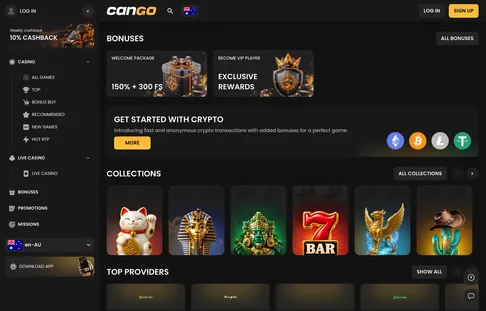

Getting into your account is the stop on our route that turns browsing into real play. For Australian beginners, the Cango login routine takes seconds once you know where the buttons sit and which rules keep your profile open. You can enter with an email and password, use Google sign-in, or tap the icon on your mobile home screen. Before you type your details, remember that VPN tools are banned and each player is strictly allowed one profile. Once inside, your AUD balance, daily missions, and the full list of pokies and promos appear right away.
Cango casino login: ways to sign in summed up
When you complete a Cango casino login, the site opens your personal dashboard, shows the full promo list, and tracks your daily missions. Australian players have three ways to enter their Cango account, depending on how they first registered and whether they use a desktop computer or a mobile device. Each route leads to the exact same cashier and pokies lobby, where your chosen currency of AUD remains fixed from your very first day.
| Sign-in Method | Where the Button Sits | What You Need | Typical Speed | Session Behaviour |
|---|---|---|---|---|
| Email and Password | Top right corner of the header | Registered email and 8+ character password | About 10 seconds | Stays active until you close the browser or log out |
| Continue with Google | Inside the sign-in pop-up window | Active Google profile linked to your email | Under 5 seconds | Uses your existing Google browser token |
| PWA Home Screen Icon | Directly on your mobile home screen | Saved credentials or biometric autofill | About 5 seconds | Keeps your session open longer on personal phones |
| Password Reset Link | Below the password box in the pop-up | Access to your registered email inbox | 1 to 5 minutes | Forces a fresh sign-in on all connected devices |
| Live Chat Recovery | Floating chat bubble in the bottom corner | Personal details and KYC photo ID if asked | About 2 minutes | Support manually opens or resets your access |
Can Go login: signing in from a phone
Most Australian players prefer using a smartphone to check their balance, claim daily free spins, or play a quick session on pokies like 3 Hot Chillies or Bonanza Billion. Executing a Can Go login on mobile works in two distinct ways: through your standard mobile browser or through a PWA (Progressive Web App, a lightweight shortcut that adds the casino directly to your phone’s home screen without visiting an app store). Both options give you full access to deposits from A$15, the A$45 welcome bonus trigger with code WP1, and withdrawals starting at A$30. Moving between Wi-Fi and mobile data mid-spin can sometimes drop your session, so let your connection settle before you open a game or approve a card payment. When you sign in on a phone, the interface scales down neatly, placing the Slots and Live Casino switch right under your thumb.
From the browser
Opening the site in Safari on an iPhone or Chrome on an Android phone requires zero downloads. Tap the sign-in button at the top of the screen, type your email and your password of at least 8 characters, or tap the Google sign-in button right underneath. Your phone’s built-in password manager can save these details so you can use Face ID or your fingerprint next time. If you share your mobile or tablet with family members, never save your password in the browser, as anyone holding the unlocked device could enter your profile.
From the home-screen app
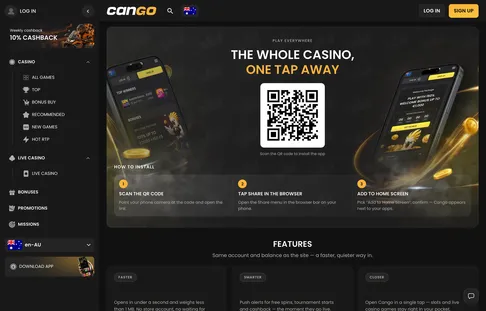
Installing the PWA gives you a dedicated icon on your screen that launches straight into the lobby without browser address bars getting in the way. On an iPhone, you set this up via Safari’s Share menu by tapping Add to Home Screen, or by scanning the QR code shown on the desktop page; on Android, tap the Install app prompt. Once launched from the icon, your mobile session stays active longer, making it easy to claim your three daily batches of 100 free spins within their 24-hour validity window.