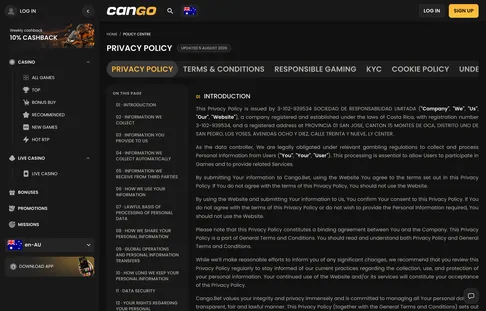

Cango Casino Explorer uses small text files called cookies to keep our Australian guide running smoothly and to understand how readers browse our articles. Because we are an independent information website and not the casino itself, we do not run player accounts, process deposits, or store sensitive financial details on your device. This page explains the files we place in your browser, why they matter, and how you can control them.
Which cookies we use
Our website relies on a small set of cookies that fall into three main categories. Every file serves a practical purpose in delivering plain, reliable information about pokies, bonuses, and payment rules without slowing down your phone or computer. We never use these files to collect your name, home address, or banking details.
- Strictly necessary cookies: These files let the website load properly, remember your privacy choices, and keep our pages secure while you move from one guide to another.
- Anonymous statistics cookies: These help our editorial team see which articles are most popular, how long readers spend on a page, and whether someone is visiting from an iPhone, an Android phone, or a desktop computer.
- Affiliate tracking cookies: When you choose to leave our guide through a partner referral path to visit Cango, a temporary file notes that you came from Cango Casino Explorer so our site can receive a commission at no cost to you.
None of the statistics we gather can identify you personally. We look at combined totals rather than individual browsing histories, which helps us spot broken pages, improve slow layouts, and write clearer guides for Australian beginners.
Managing cookies in your browser
You are always in control of how your device handles cookies. Every modern web browser lets you view the files stored on your phone or computer, delete them whenever you like, or block websites from saving new ones altogether. Blocking strictly necessary files may cause parts of our site to look slightly different, though all of our written guides will remain readable.
In Google Chrome, open the three-dot menu at the top corner of the screen, go to Settings, and select the Privacy and Security section. From there, you can clear your browsing data or adjust your third-party cookie preferences. If you use Apple Safari on an iPhone, iPad, or Mac, open the main Settings menu, choose Safari, and look for the privacy toggles where you can clear your history and website data or block all cookies.
Mozilla Firefox users can open the main menu, select Settings, and open the Privacy and Security panel. Firefox gives you standard, strict, and custom protection levels, along with a button to manage and delete individual site data stored on your machine. You can also use a private or incognito window in any of these browsers so that temporary files are wiped automatically the moment you close the tab.
Changes to this policy
We review our technical setup regularly to make sure Cango Casino Explorer stays fast, private, and easy to use for Australian readers. Whenever we adjust the analytics tools we rely on or change how our site stores browser preferences, we rewrite this page so that the description matches our current setup.
Most updates are minor adjustments that reflect new browser rules or simpler ways of counting page views. We recommend checking this page from time to time if you want to stay informed about how our site works behind the scenes. If you ever have a question about our cookie practices or notice something that does not look right, you can write to our editorial team at [email protected] and we will typically reply within 24 hours on working days.